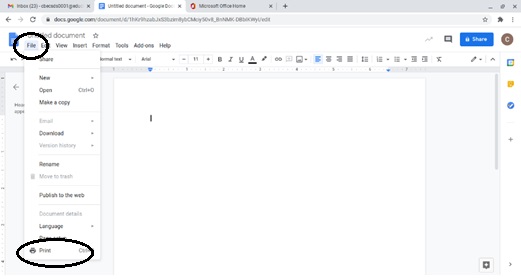
- Open the document you want to print and select File, Print.
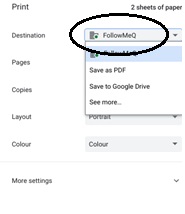
- FollowMeQ should be the default printer. If not, select it from the drop-down menu.
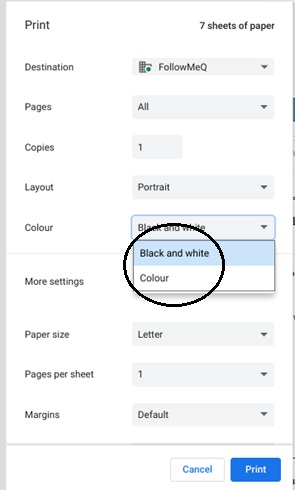
- Once you have selected your print preferences, click Print.
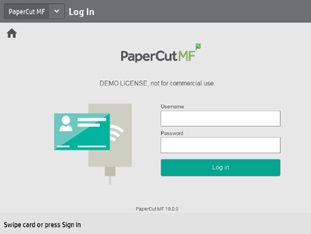
- When you are ready to release your print job, go to any printer and scan your student ID or enter your @educbe.ab username and password to sign in.
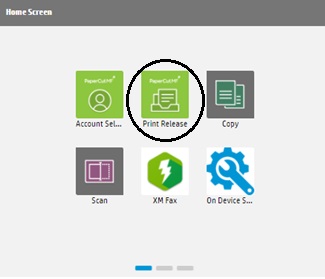
- On the printer, please select Print Release.
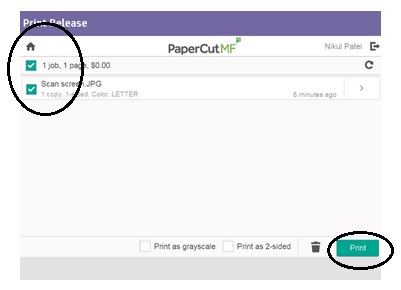
- Once you click Print Release, the following screen will appear. Select the job you want to print and click the print button at the bottom of the screen.
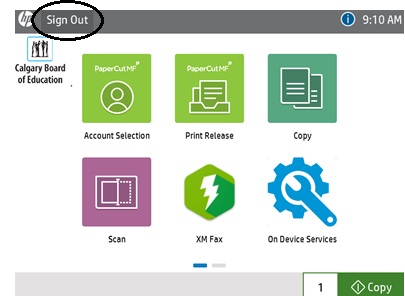
- Select the Sign Out button to log out.
Last modified: 2026-06-03 20:18:54.75653 +0000 UTC